 Parlor
Your handhelds. Every Apple screen.
Parlor is a Game Boy, GBA and DS emulator for iPhone, iPad, Apple TV and Mac. Any controller. Full-screen on your TV over AirPlay. Saves that follow you. A link cable that reaches across the internet.
Includes free open-source games to try right away. Bring files copied from cartridges you own. One purchase for iPhone, iPad and Apple TV · Family Sharing included · no in-app purchases.
Press A to play Snake
Go on, play. D-pad steers · A start · B pause · Select palette · Start get Parlor. Or arrows, X, Z, Right Shift, Return, the same keys Parlor uses.
iPhone. iPad. Apple TV. Mac.
One app, native on all four. Not a stretched phone app on the Mac, not a stripped-down one on the TV. Start on the train, finish on the couch.
Any controllerYour PlayStation, Xbox or Switch pad. Just pair it.
Every controller Apple supports. Press a button and a live keymap lights up with your pad's own labels. Remap anything. Touch controls step aside on their own.
AirPlay to your TVFull-screen on the TV. Your phone is the controller.
Tap Screen Mirroring, start a game, and Parlor takes over the TV while your iPhone becomes the pad. Or plug in HDMI, or run the Apple TV app with a controller.
Link cableTrade and battle with a friend, anywhere.
The link cable, emulated byte for byte and carried over Game Center. Or run two of your own games side by side on one screen. GB with GBC, GBA with GBA.
Pick up on any device, exactly where you stopped.
Battery saves, eight save-state slots with screenshots, and an auto-state every time you leave, all synced through your private iCloud. If two devices disagree, the losing save is kept as a recovery copy, never thrown away. Game files stay on each device.
Smooth speed, clean soundFull speed. Clear sound. Responsive controls.
Games run smoothly with clean audio and responsive controls. Parlor uses proven, accurate open-source emulation cores and needs no BIOS files.
Zip and 7z archives unpack on import. 3DS game files in .3ds, .cci, .cxi, or .cia form also play on iPhone and iPad.
Free games to try tonight
All free games →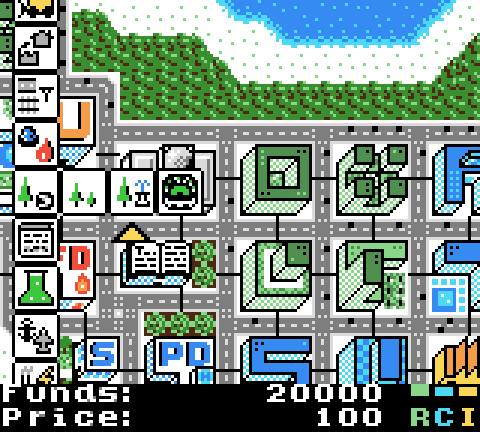 µCityGame Boy Color
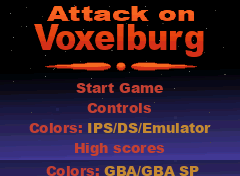 Attack on VoxelburgGame Boy Advance
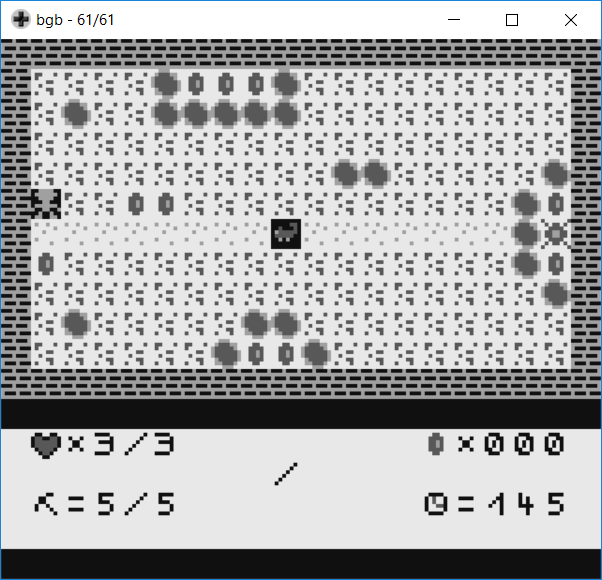 GraeberGame Boy
Independent homebrew, free to share. Parlor is still for the games you own, and these are just a good way to try it. Updated 2026-08-29.
The details, done properly.
- Fast forward at 2×, 4×, 8×. Audio stays at normal pitch, nothing squeaks.
- Sharp, LCD grid and CRT filters in Metal, four Game Boy palettes, Game Boy Color color correction.
- DS screens your way: stacked, side by side, corner, or single; two-finger double-tap to swap.
- Apple TV survives a storage purge. Library, saves and states restore from iCloud; games re-send from your iPhone in seconds.
- Siri, Shortcuts, Spotlight, a widget, Handoff: "Continue playing in Parlor."
- Fourteen Game Center achievements for using Parlor itself, never tied to a game.
- A real Mac app: ⌘S / ⌘L save and load, 2× to 8× window sizes, full screen, keyboard play.
- Box art and titles found automatically; favorites, sort, filter by system, play time.
- No analytics, no trackers, no Parlor account. Every connection listed.
Quick answers.
What is Parlor?
Which devices and systems does Parlor support?
Does Parlor come with games?
How do I add my games?
Do I need BIOS files?
Can I play on my TV?
Which controllers work?
Do my saves sync between devices?
Does Parlor collect any data?
More in the User Guide.
The green glow after lights-out, now on the biggest screen in the house.
One purchase for iPhone, iPad and Apple TV. Family Sharing included, no in-app purchases. Bring the games you own; Parlor brings everything else.